
Chapter 11 · 11.7
Privacy: downloading or deleting your data
You have the right to view your data and to have it deleted. You can arrange both yourself, without a ticket. Go to My Administration, tab Details, and scroll to the Your data and privacy section at the bottom. Only the account owner sees this section.
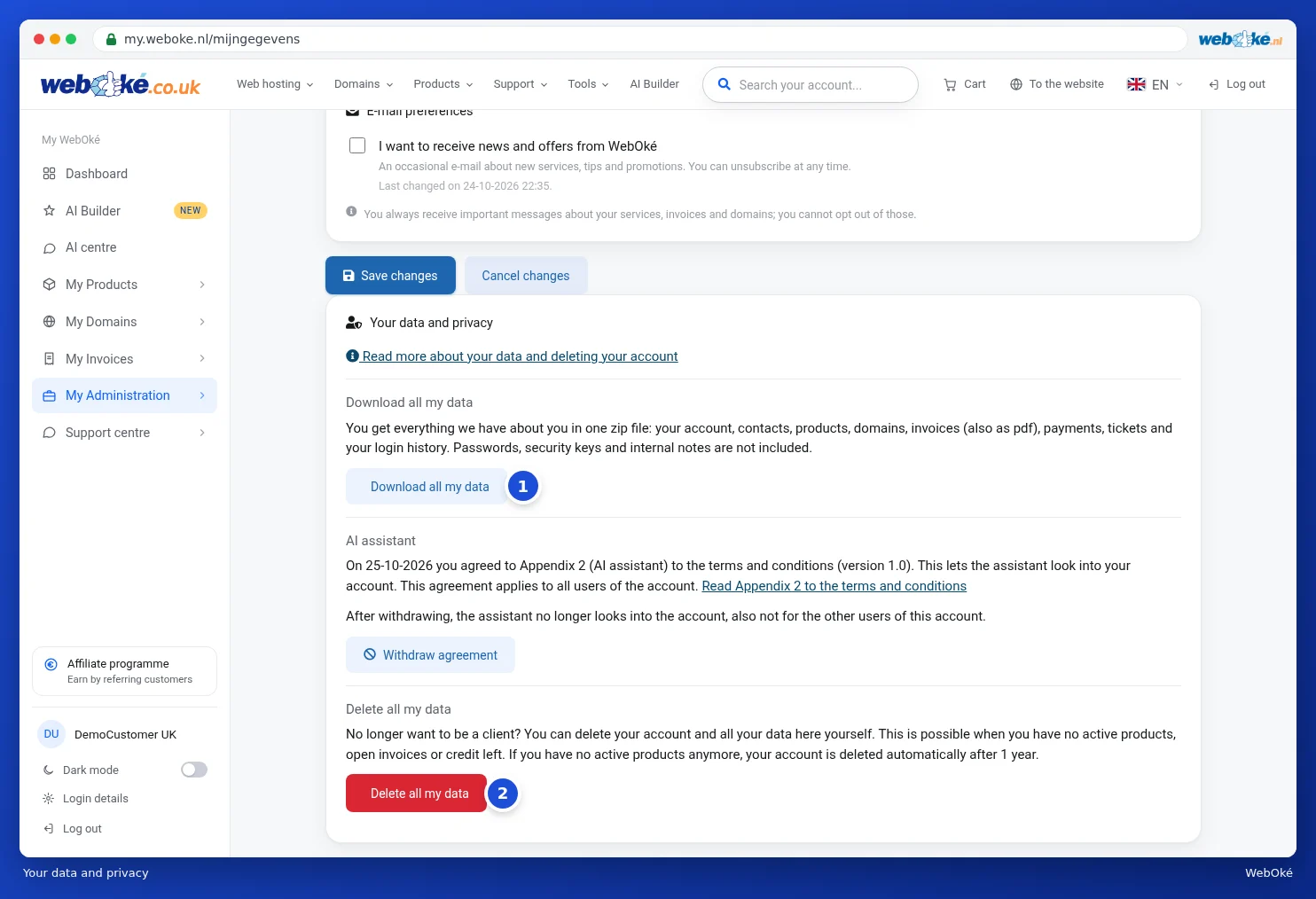
Download all my data
Click Download all my data (1). You'll get one zip file with everything we have about you:
- a file with all your data: your account, logins, contacts, products, domains, invoices, payments, credit, orders, tickets, sent emails, login history and consents, as well as your AI conversations, AI Builder sites and MCP access;
- a folder with all your invoices as PDFs.
Passwords, security keys, transfer codes and internal notes are deliberately not included. You can create a new download once every few minutes.
Read more about your data via the link Read more about your data and deleting your account at the top of the section.
Your consent for the AI assistant
The same section shows whether you've given the AI assistant permission to view your account. If you have, you can withdraw it here again. Read more about the assistant in The AI assistant: what can it do for you?.
Delete all my data
No longer want to be a client? You can delete your account and all your data yourself with Delete all my data (2). This is only possible if you have no active products, open invoices or credit left.
If you still have something running, after clicking you'll see an overview of what needs to happen first, for example your active products and domains. Cancel these first or transfer your domains, pay any open invoices and contact us about any credit. Use Back (1) to go back.

If your account can be deleted, you'll first see a warning about what happens:
- You will no longer be able to log in. Other logins lose their access to this account.
- All your data is deleted: your account, contacts, tickets, emails, orders and logins.
- We keep your invoices separately, as the law requires. For the first 7 years with your name and address, after that without.
To confirm, enter your password and type the word shown on screen. Then click Delete permanently. If you're not sure, click Cancel.
Please note: deleting cannot be undone. Download your data first if you want to keep anything.
Tip: if you no longer have any active products, we'll also delete your account automatically after 1 year.