
Chapter 2 · 2.1
Finding and choosing a domain name
Watch it in a short video
A domain name is the address of your website and your email, such as yourcompany.co.uk. Before you order it, check whether it's still available. You do this with the domain search tool on the site. You don't need an account for this yet.
How to search for a domain name
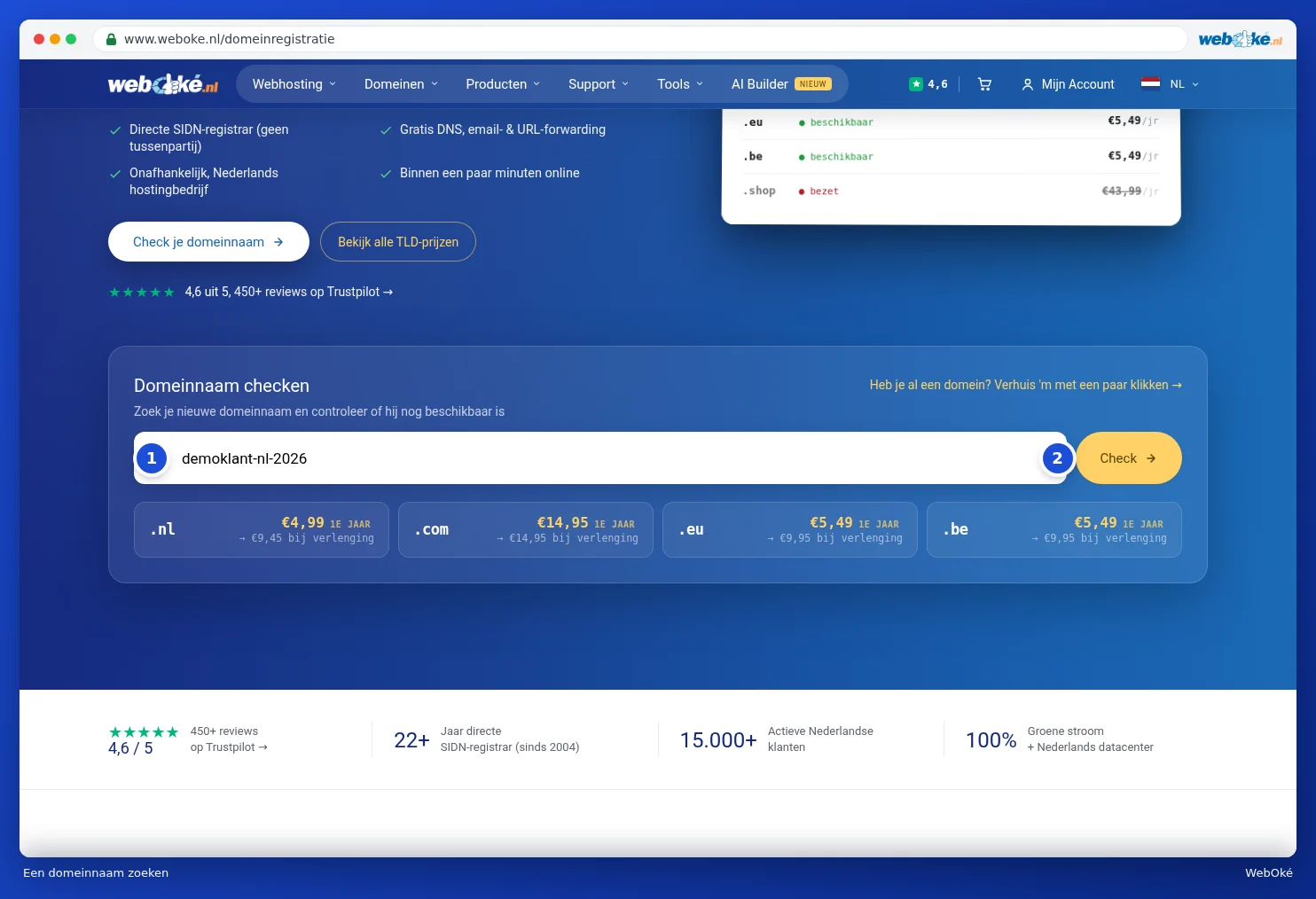
- Go to Domains in the menu and click Register a domain name. You can also type a name straight into the search field of the Domains menu, or choose Search for a domain on the homepage.
- Under Check domain name, type the name you want (1). You can leave out the extension: if you just type a name, we'll immediately search for it with the popular extensions.
- Click Check (2).
The search results
At the top, you'll see the name you searched for. If it says Available, it's free. You'll also see the cost for the first year and the renewal cost afterwards.
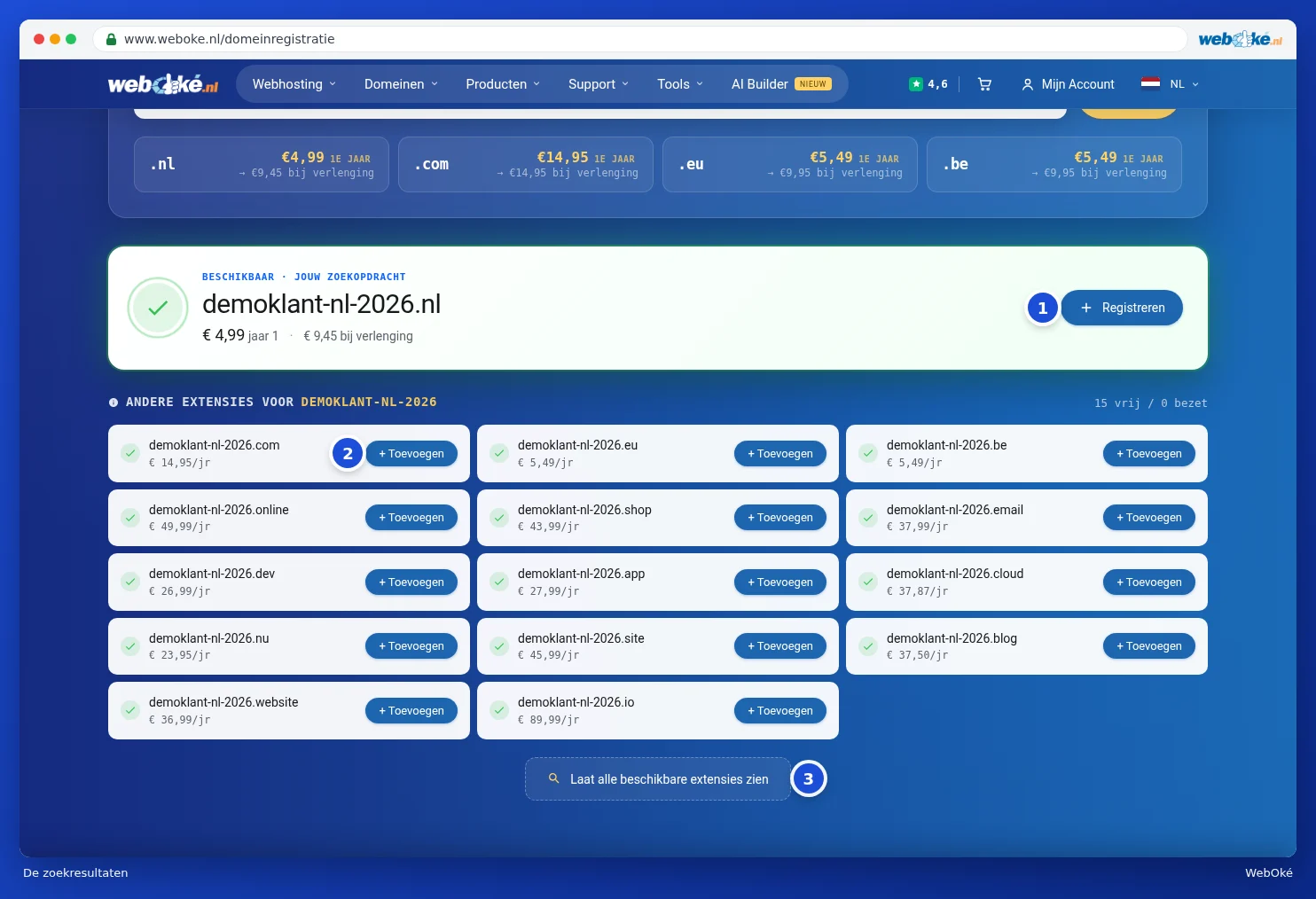
- Click Register (1) to add the domain to your cart.
- Under Other extensions for you'll find the same name with other extensions, such as .com, .eu and .be. If you want those too, click + Add (2).
- Looking for an extension that's not listed? Click Show all available extensions (3).
The domain is in your cart
After adding it, the button changes to In your cart. Click the cross next to it (1) if you don't want the domain after all. A bar appears at the bottom of the page showing what's in your cart. Use View (2) to see the contents. Use Continue to checkout (3) to set up your domain and go to your cart, see Setting up your domain: nameservers, linking to your package and the owner.
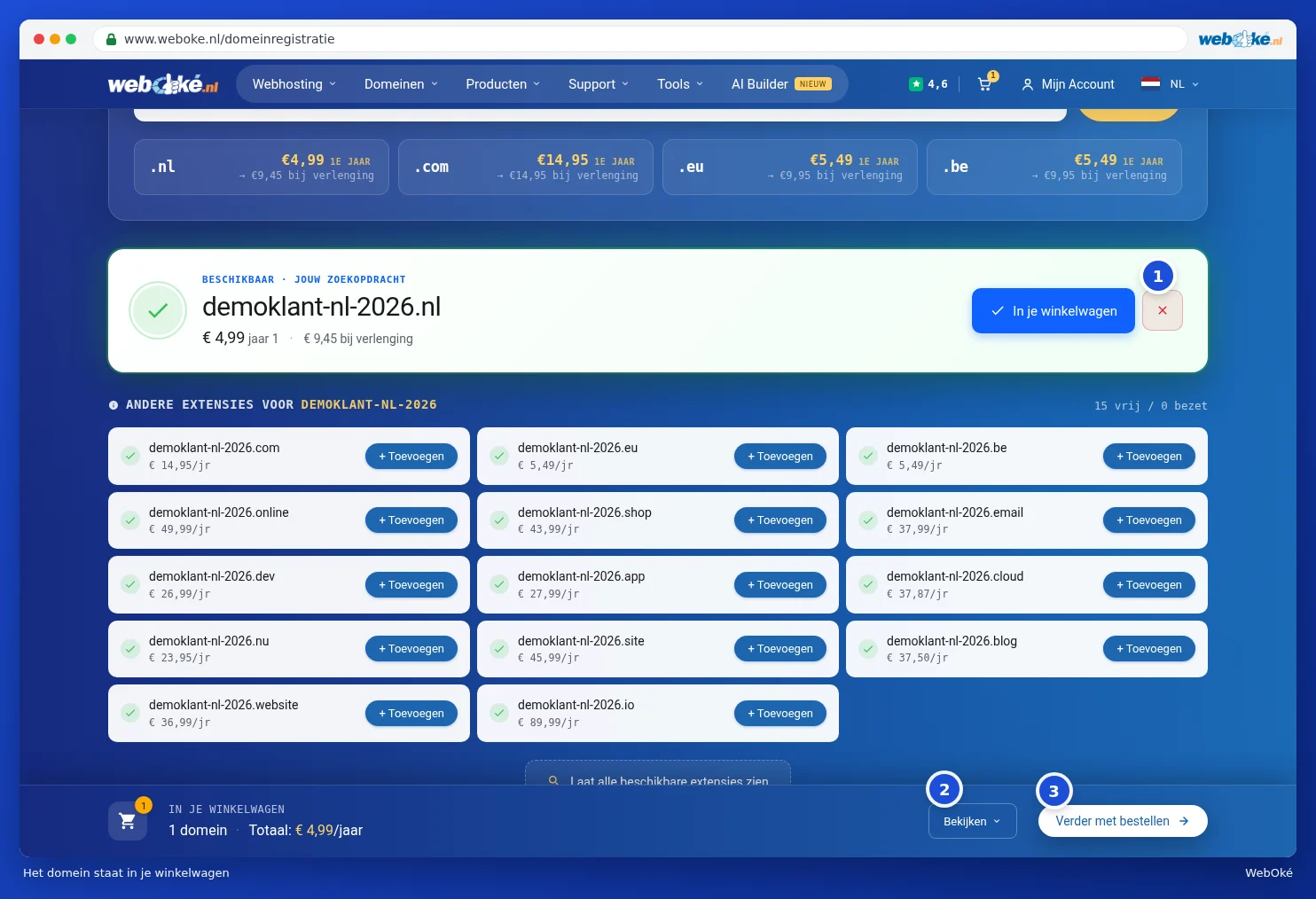
You can also see how much is in your cart at the top right by the cart icon (1). Hover over it with your mouse for an overview of the total for the first year. Use Open cart (2) to go to your cart.

Is the domain already taken?
If it says Unfortunately and not available, someone else already has the name. In that case, try a different name or a different extension. Is the domain yours and is it currently with another provider? Then click Transfer this domain (1). You can read how transferring works in Transferring a domain to WebOké (transfer code or transfer later).

Tip: want a website or email on your new domain? Then also choose a hosting package. You'll link the domain to it in the next step. See Choosing a hosting plan (web hosting, email plan, Nextcloud, AI Builder).
Please note: some extensions have extra rules, for example that you must live in the country concerned. In that case, we'll ask for extra details when you order.