Skip to content

Cookie settings

Choose which kinds of cookies you allow. You can change your choice at any time via Cookie settings at the bottom of every page. Privacy statement

Necessary

Always on

Needed to log in, keep your cart and remember your choices. These are always on.

Which cookies?
  • weboke_sessie, weboke_klant, weboke_remember: your session and staying logged in
  • weboke_basket: your cart
  • wkBtwIncl: showing prices with or without VAT
  • wok_cookies: your cookie choice, 12 months

Measures which ad leads to a visit or order, so we do not pay for ads that do nothing.

Which cookies?
  • Google Ads via Google Tag Manager (_gcl_au, _gcl_aw), up to 90 days
  • OpenAI Ads, ads in ChatGPT
  • wok_aff: which partner referred you to us (affiliate programme), 60 days

All servers have been updated and are protected against the recent PHP vulnerabilities. Still seeing an older version number, such as 8.3.35? That is correct: the security fix is included, only the version number was not changed by CloudLinux.
4.6

Country and language

Each country has its own site, with prices and VAT for that country.

View

Freezing rows and columns

Watch it in a short video

Freeze the top row while scrolling 0:40

In a long list, headings disappear from view as you scroll down. Freeze the top row so the headings always stay in place.

  1. Go to the View tab.
  2. Click Freeze panes (1).
  3. Choose Freeze top row for the top row, or Freeze first column for the first column.
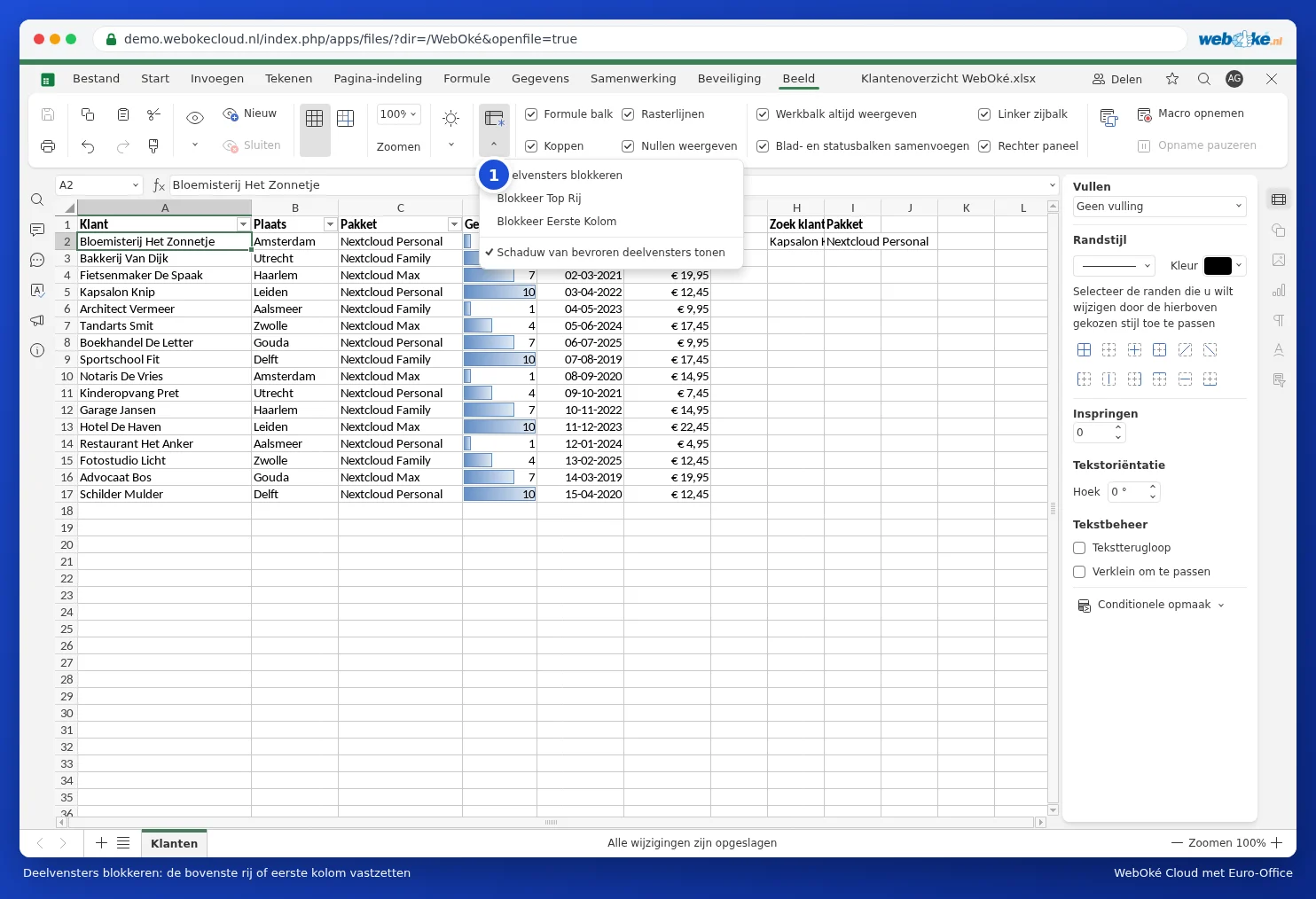
The Freeze panes menu
Freezing the top row or the first column

Want to freeze several rows and columns? Click in the cell below and to the right of the part that should stay in place, then choose Freeze panes. For example, if you click in B2, row 1 and column A will stay in place.

To undo this, open the same menu again and choose the option to unfreeze.

Tip: freezing only applies to the screen. Want the headings on every printed page too? Use Print titles on the Layout tab.

One moment…

Set up your domains

For each domain, arrange the nameservers, the link to your hosting and who becomes the owner.

Loading your domains…