
Chapter 16 · 16.1
What backups are available at WebOké
Accidentally deleted a folder, an update that broke your website, or a hacked site? Then you'll want to go back to how things were. WebOké offers several types of backups. It's useful to know what's available, as they work very differently.
| Type | Who makes it? | What's in it? | Where is it stored? | Read |
|---|---|---|---|---|
| WebOké Backups | We do, automatically every night. | Your entire package: files, databases, mailboxes and settings. From every night of the past 30 days. | Encrypted on separate storage servers in a different data centre. Doesn't count towards your storage. | Can I also do this in My WebOké? WebOké Backups |
| Backup and Restore in DirectAdmin | You do, manually. | Whatever you select yourself: for example your website, mailboxes and databases. | In the backups folder in your own package. Counts towards your storage. | Backup and Restore: creating your own backup in DirectAdmin |
| Installatron backups | Installatron, automatically with updates, or you manually. | One website installed with Installatron, such as WordPress. | In your own package. Counts towards your storage. | Making and restoring backups in Installatron |
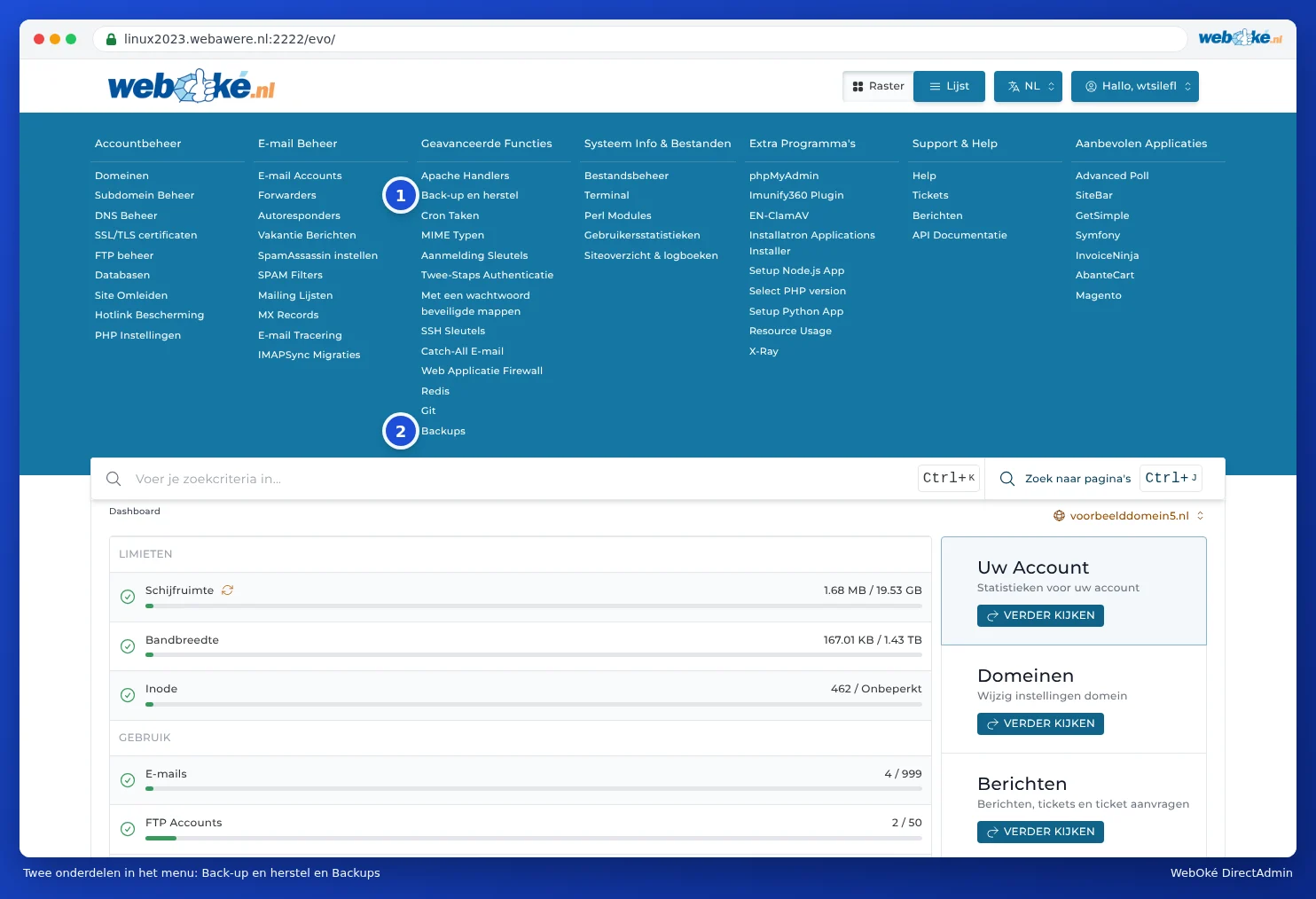
In the DirectAdmin menu, under Advanced Features, you'll find both Backup and Restore (1) and Backups (2). Backup and Restore is DirectAdmin's own feature. Backups is a shortcut to WebOké Backups in My WebOké (see The Backups section).
Which one do you use when?
- Accidentally deleted a mailbox, file or database? Use WebOké Backups. You can also always restore a mailbox you deleted in DirectAdmin using it (see Can I also do this in My WebOké? WebOké Backups).
- Restore something from yesterday or last week? Use WebOké Backups. This backup is always available, even if you've never set anything up yourself. You can also restore a single file, database or mailbox, or place a copy alongside your current site.
- Need an extra restore point just before a major change? Create an extra backup in WebOké Backups with a single click (see Can I also do this in My WebOké? WebOké Backups). Or create a backup of your WordPress site in Installatron just before an update.
- Want to keep your own copy, for example on your computer? Download a backup from WebOké Backups, or create a backup with Backup and Restore and download it (see Backup and Restore: creating your own backup in DirectAdmin).
Do I need to make my own backups?
For most customers, this isn't necessary: WebOké Backups creates a complete backup every night and keeps it for 30 days. Want to keep a backup for longer than 30 days, or always have your own copy? Then download a backup every now and then and store it on your own computer or in your cloud storage.
Please note: Backups you keep in your own package (with Backup and Restore or in Installatron) count towards your storage. If you keep a lot of them, your package may fill up. So be sure to clean up old backups (see Freeing up space: cleaning up old backups).