
Is this email really from WebOké? Recognizing phishing and using the promo code
Not sure if an email is really from WebOké? In this article you'll read how to recognise a genuine email, how to safely proceed with an action code without clicking the link, and what to do if you've clicked on a fake email anyway.
Is this email genuine?
Scammers send emails that look like ours, for example about an invoice, an expired domain, a full mailbox or your password. Watch out for the following:
- The sender address. Our emails come from an address ending in @weboke.nl or the WebOké domain for your country, such as @weboke.de or @weboke.eu. Look at the actual address, not just the display name. Watch out for addresses that look almost the same. Emails from your Nextcloud come from nextcloud@weboke.nl.
- The action code. If an email from us contains a personal link, it will always include an action code. If that's missing, be extra careful.
- Where the link leads. Hover your mouse over the link (don't click). Our links lead to www.weboke.nl/en, my.weboke.nl or the WebOké site for your country.
- What's being asked. We will never ask you to send back a password, login code or payment details by email or to fill them in on a form outside our site.
- Pressure and urgency. "Pay within 24 hours or everything will be gone" or "your mailbox will be deleted today" are typical tricks used in fake emails.
Check it yourself in My WebOké
The safest option is to ignore the email and log in yourself. To do this, type my.weboke.nl into your address bar yourself.
- Is it about an invoice? Check under My Invoices whether that invoice is there and is outstanding. If it's not there, the email isn't from us.
- Most emails we send you, such as invoices and messages about your package or domain, can be found under My Account › Received emails. Replies to tickets can be found in the Support Centre. We never store login codes anywhere, they're only in your mailbox. See Reviewing received emails.

How to use an action code
Emails with a personal link, for example to pay an invoice, reset your password or accept an invitation, also include an action code. This lets you reach the same page without clicking the link.
- Type www.weboke.nl/en into your browser's address bar yourself.
- In the menu, choose Support › Enter action code.
- Copy the code from the email (for example
terug-3f9a...) and paste it into the field. - Click Continue. You'll reach the same page as via the link in the email.
If the code doesn't work, it has expired or has already been used. An action code works exactly like the link. If a code you don't trust also doesn't work, the email may not have come from us.
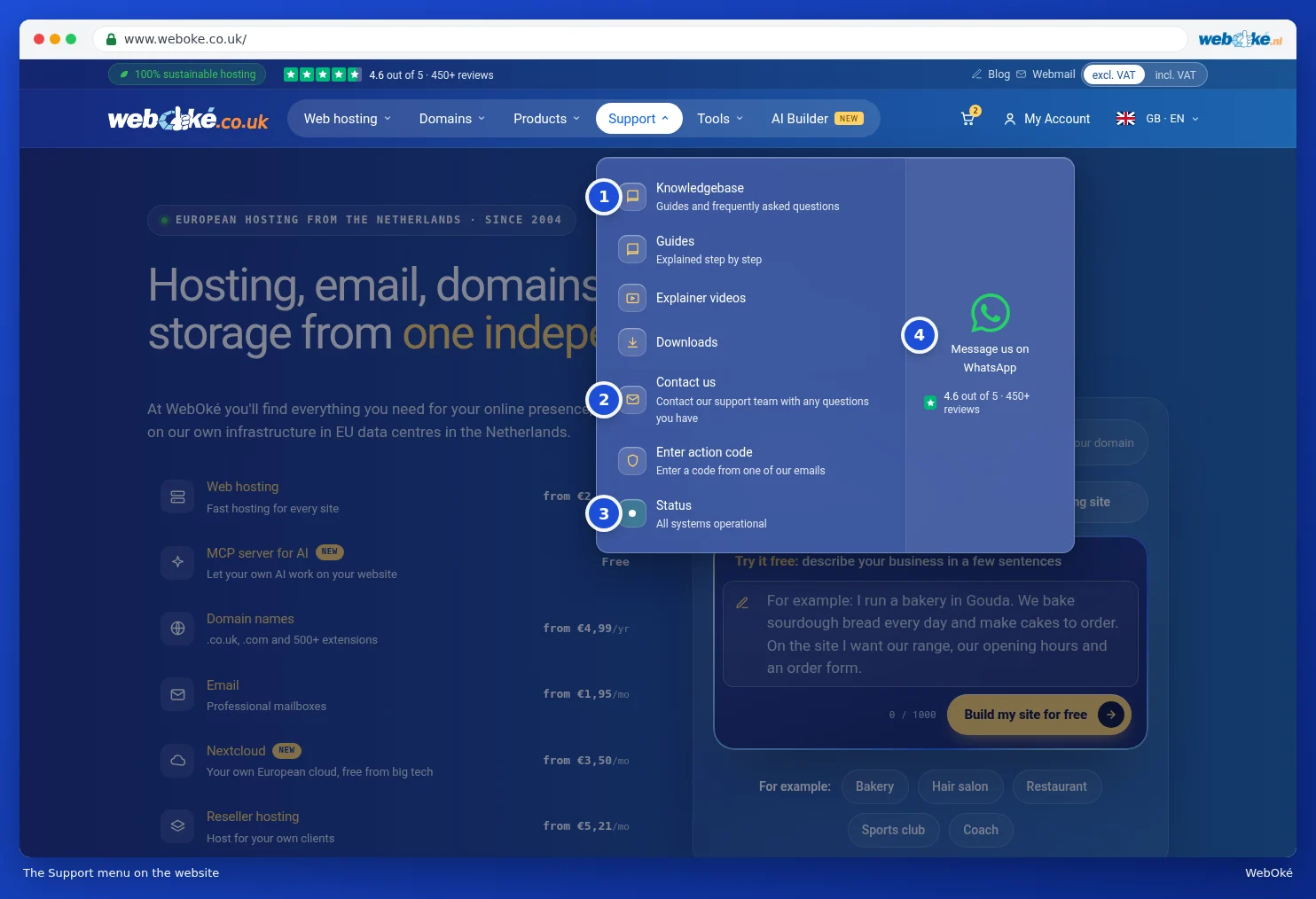
Reporting a fake email
Received a suspicious email that looks like it's from WebOké? Let us know via a ticket in the Support Centre or via contact us. Attach the email so we can see where it came from. Don't click any links in the email yourself.
Clicked or filled something in anyway?
- Entered your My WebOké password? Change it immediately in My WebOké. See Setting, changing or recovering your password.
- Turn on two step verification, if you haven't already. See How do I enable two step verification?
- Entered a mailbox password? Change that mailbox's password and enter the new one on all your devices. Read What to do if your email address has been misused.
- Do you use the same password elsewhere? Change it there too.
- Entered payment details? Contact your bank immediately.
- Let us know via a ticket so we can take a look.